Quotex Sign Up Guide: How to Register and Start Trading
This guide is for anyone who wants to create a Quotex account quickly and without confusion - whether you are a complete beginner or switching from another platform. You will find a clear, step-by-step walkthrough of the registration process on web, Android, and iOS, along with what to do after your account is active. By the end, you will know exactly how to go from sign-up to placing your first trade.
Quotex is a digital options broker that gives traders access to over 200 instruments - including currency pairs, cryptocurrencies, commodities, and stock indices. The account opening process takes under 5 minutes and requires minimal personal information. Three sign-up methods are available: email, Google, and Facebook. A free demo account with $10,000 in virtual funds is available instantly, even before you complete full registration.
Get the Quotex First Deposit Bonus
Quotex

Trade on Quotex online with bonus and explore a modern digital options platform with fast order execution, flexible strategies and convenient trading tools.
What You Need Before Creating a Quotex Account
Compared to most trading platforms, Quotex keeps the entry barrier low. No phone number, date of birth, or financial background questionnaire is required at the sign-up stage. Here is what you will actually need:
- A valid email address (for email-based registration) or a Google / Facebook account
- Your country of residence
- A preferred account currency - USD, EUR, or another supported option
- A strong password: mix of uppercase and lowercase letters, numbers, and special symbols
Identity documents such as a passport, national ID, or proof of residence are not required to register or use the demo account. They may be requested during the withdrawal verification stage depending on the amount and payment method.
| Registration requirement | Required at sign-up |
| Email address | Yes |
| Phone number | No |
| Google account login | Yes (optional method) |
| Facebook login | Yes (optional method) |
| Full name | No |
| Country of residence | Yes |
| Date of birth | No |
| Address details | No |
| Email verification | Yes |
| Financial questionnaire | No |
Quotex Account Types: Demo vs Real
Before choosing a registration method, it helps to understand what type of account you are opening and what it gives you access to.
Demo Account
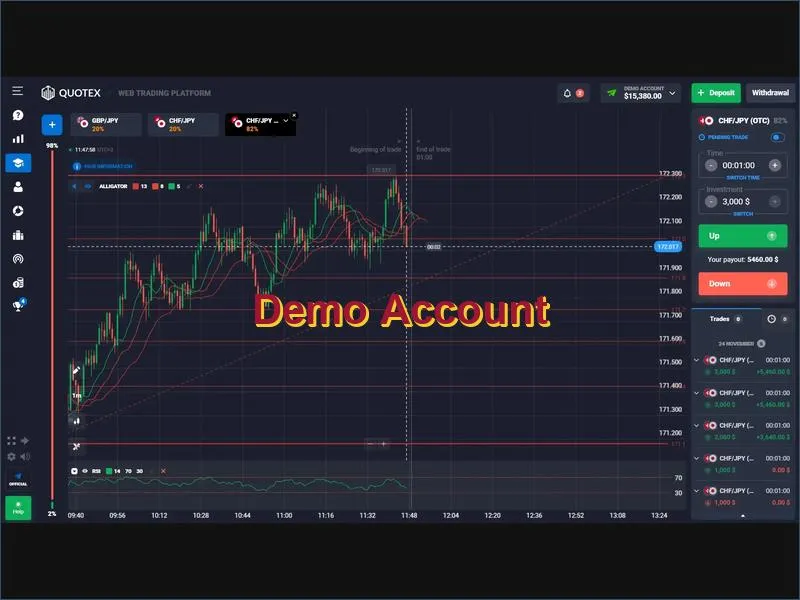
The demo account is available immediately on the Quotex platform without completing full registration. It comes preloaded with $10,000 in virtual funds and gives you access to the full range of trading instruments and platform tools. This is the recommended starting point for anyone new to digital options - it lets you test strategies, explore the interface, and understand how the platform behaves under real market conditions, all without any financial risk. You can also try the Quotex demo before deciding whether to proceed with a real account.
Real (Live) Account
A real account requires completing the standard registration and email verification process. Once verified, you can make a deposit and begin live trading. The minimum deposit is $10, which makes the platform accessible even for traders who want to start with a small amount. Live account holders can access all platform features, apply for deposit bonuses, use promo codes, and withdraw profits through multiple payment methods.
How to Register on Quotex: Step-by-Step
There are three ways to create a Quotex account. All three lead to the same result - a verified live trading account. Choose the method that suits you best.
Method 1: Register with Email
- Go to the official Quotex website and click the Registration button in the top-right corner of the page.
- On the sign-up form, select your country of residence from the dropdown menu.
- Choose your preferred account currency (this selection will apply to all future deposits and withdrawals).
- Enter your email address - make sure it is one you have access to, as you will need it for verification.
- Create a strong password. Quotex requires a combination of uppercase and lowercase Latin letters, numbers, and symbols.
- Accept the platform's Terms of Service and Privacy Policy by checking both boxes.
- Click Register to submit the form.
- Open your inbox and find the verification email from Quotex. Click the confirmation link to activate your account.
- Return to the platform, log in with your credentials, and your account is ready.
If the verification email does not arrive within a few minutes, check your spam or promotions folder. You can also request a resend from the Account section of the platform.
Method 2: Register with Google
- Click Registration on the Quotex homepage.
- On the sign-up page, select the Google icon instead of filling in the email form.
- A Google authentication window will open - enter your Gmail address and password.
- Review the permissions and authorize Quotex to proceed.
- Your account will be created automatically using your Google profile data.
- Complete the currency selection if prompted, then proceed to your account dashboard.
Method 3: Register with Facebook
- Click Registration on the Quotex homepage.
- Select the Facebook icon on the sign-up form.
- Log in with your Facebook credentials in the pop-up window.
- Authorize Quotex to access your basic account information.
- Your Quotex account will be created. Note: Quotex does not post to your Facebook timeline or access private messages.
- Select your account currency if prompted and proceed to your dashboard.
How to Register on Quotex on Android
The Quotex Android app replicates the full web platform experience on your smartphone. To create an account on Android:
- Open the Google Play Store and search for the official Quotex app.
- Download and install the app.
- Launch the app and tap Register or Create Account.
- Choose your registration method: email, Google, or Facebook.
- For email sign-up, fill in your country, currency, email address, and password.
- Accept the Terms of Service and tap Register.
- Verify your email by clicking the link sent to your inbox.
- Log in and explore the platform - start with the demo account before moving to live trading.
You can also download the Quotex app directly from the official website if the Play Store version is unavailable in your region.
How to Register on Quotex on iOS (iPhone and iPad)
- Open the App Store and search for the Quotex trading app.
- Download and install the official app.
- Launch the app and tap Sign Up.
- Choose your preferred registration method.
- For email: enter your country, account currency, email, and a strong password.
- Accept the Terms of Service and tap Register.
- Confirm your email via the verification link.
- Log in using your credentials - or use Face ID / Touch ID on subsequent sessions for faster access.
How to Verify Your Quotex Account
Email verification is required immediately after registration to activate your account. Full identity verification (KYC) is a separate process that is typically required when you request a withdrawal above a certain amount or when the platform flags your account for a routine check.
Email Verification
After submitting your registration form, Quotex sends a confirmation email to the address you provided. Open the email and click the Confirm Email button. Your account status will change from Unverified to Verified in the Account section of the platform. If the email does not arrive, use the Resend option in the Account settings.
Identity Verification (KYC)
- Log into your account and go to the Account Settings section.
- Locate the Account Verification option, usually found under security or personal information settings.
- Upload a valid government-issued ID - passport, national ID card, or driver's license.
- Upload a proof of residence document - a utility bill or bank statement dated within the last 3 months.
- Ensure all documents are clearly photographed or scanned, fully visible, and in an accepted file format.
- Submit the documents for review.
- Wait for the Quotex team to complete the review - this typically takes a few business days.
- You will receive an email confirmation once verification is complete.
What to Do After Registering on Quotex
Creating an account is only the first step. Here is what experienced traders recommend doing before placing your first live trade:
- Explore the demo account first. Use the $10,000 in virtual funds to get familiar with order types, expiry times, and the platform interface. Do not skip this step - understanding how the platform behaves costs nothing in demo mode but saves real money later.
- Complete your profile. Fill in all required personal information in the Account section. This enables full withdrawal access and reduces friction during any future verification requests.
- Make your first deposit responsibly. The minimum deposit is $10. Only commit funds you can afford to lose - this is the foundational principle of sound risk management in any trading environment. See all available payment methods before choosing.
- Check available bonuses. New accounts may be eligible for a welcome deposit bonus. Review the terms carefully before activating - wagering requirements vary. Full details are on the bonuses page.
- Choose a trading strategy. Entering the market without a clear approach is one of the most common mistakes beginners make. Review the available trading strategies and test your preferred approach on the demo account before going live.
- Set a risk limit per trade. A widely used starting point is the 1% rule - risk no more than 1% of your account balance on a single position. This limits losses during learning phases and keeps your account operational long enough to develop real skill.
For a broader overview of the platform's features, ratings, and user experience, read the full Quotex review. If you already have an account, go directly to the login page.
Pros and Cons of Registering with Quotex
| Advantages | Disadvantages |
| Registration takes under 5 minutes with minimal data required | Platform availability is restricted in some countries (e.g., USA, Canada, EEA) |
| Three sign-up methods: email, Google, Facebook | Digital options trading carries significant financial risk |
| Instant access to a $10,000 demo account - no deposit needed | Full KYC verification may be required before withdrawals |
| Low minimum deposit of $10 for live trading | Only one account per user is permitted |
| Access to 200+ instruments across multiple asset classes | Regulatory status varies by jurisdiction - verify before depositing |
| Welcome bonuses available for new accounts | Bonus terms include wagering requirements |
Frequently Asked Questions about Quotex registration
Is Quotex registration free?
Can I use Quotex on multiple devices with one account?
Which countries cannot register on Quotex?
How long does Quotex account verification take?
Can I open more than one account on Quotex?
What should I do if I did not receive the Quotex verification email?
Is a demo account available without full registration?
Quotex